
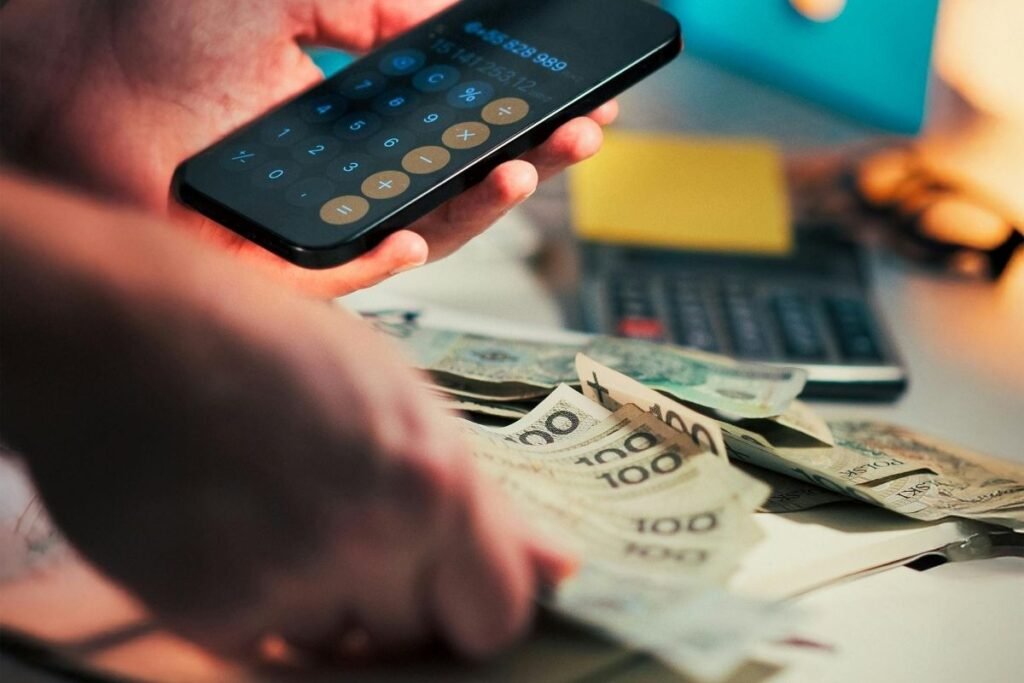
Cost is often the biggest barrier preventing people from implementing a budgeting system. Many assume that quality budgeting tools require expensive subscriptions, so they put off budgeting indefinitely. The reality is that genuinely effective budgeting apps are available completely free, and starting with a free option is actually the smartest approach. Free apps let you test different budgeting methodologies and interfaces before committing money to premium versions.
Free budgeting apps have become increasingly sophisticated, offering features that rival premium options. Many are free by design, supporting themselves through ads or optional premium upgrades, while others offer robust free tiers that genuinely address core budgeting needs. The key is understanding which free apps provide real value versus which ones push aggressively toward premium upgrades.
We’ve identified 11 of the best free budgeting apps available. These recommendations prioritize genuine functionality over gimmicks, apps that deliver real budgeting power without requiring payment. Whether you’re testing the waters of budgeting for the first time or looking for a quality free tool long-term, you’ll find an app on this list that fits your financial situation and budgeting style.
1. Mint
Mint remains one of the most popular free budgeting apps, and for good reason. The app automatically categorizes transactions across all your connected accounts, provides visual spending reports, and tracks progress toward financial goals without charging a dime.
Mint’s primary value is its simplicity and accessibility for budgeting beginners. The interface is intuitive, setup is straightforward, and the learning curve is minimal. The app supports multiple accounts across different financial institutions and provides customizable budget categories. The free model is supported by ads and sponsored financial product recommendations, which some users find intrusive but are easily ignored.
Also read: Best Budgeting Apps: 10 Top-Rated Tools to Take Control of Your Finances
2. EveryDollar (Free Version)
EveryDollar’s free version provides access to the zero-based budgeting methodology without bank connectivity. You’ll manually enter transactions, but you get the powerful framework of assigning every dollar a purpose before you spend it.
The free version lacks automatic bank sync, which means slightly more work but also more intentionality in your spending. For people willing to put in a bit of extra effort, the free version delivers exceptional value. The methodology is proven effective, especially for people following Dave Ramsey’s financial principles. If you find yourself loving the approach, the premium version adds bank sync for roughly $10.99 monthly.
3. GoodBudget (Free Version)
GoodBudget’s free version recreates the classic envelope budgeting system digitally, allowing you to allocate money across virtual envelopes representing spending categories. This tactile, visual approach resonates with people who understand money better when they can “see” their allocations.
The free version includes core envelope functionality, receipt scanning, and multi-device syncing. You can create multiple envelopes, track spending against each one, and photograph receipts for detailed record-keeping. The interface is intuitive and appeals especially to visual learners and families managing shared finances. The premium upgrade adds unlimited envelopes and additional features for those who outgrow the free tier.
4. Wally
Wally specializes in expense tracking and receipt management without charging for core functionality. The app’s strength is documentation; you photograph receipts, categorize expenses, and create detailed records of every purchase without subscription costs.
Wally’s free version includes receipt scanning, expense categorization, and spending tracking across multiple currencies. This makes it particularly valuable for frequent travelers, international workers, and people who need detailed expense documentation. The app is also excellent for freelancers and business owners tracking deductible expenses. Premium features add bill reminders and subscription tracking for those wanting more advanced functionality.
5. PocketGuard (Free Version)
PocketGuard’s free version provides real-time spending guidance through its “In Your Pocket” feature, which shows you exactly how much money you can safely spend without compromising financial goals. The algorithm analyzes your spending patterns and income to provide ongoing guidance.
The free version includes automatic expense categorization, goal tracking, and spending insights. PocketGuard’s strength is actionable guidance rather than traditional budgeting frameworks, making it valuable for people who want ongoing coaching about spending decisions. The app integrates with over 12,000 financial institutions and uses artificial intelligence to provide increasingly accurate recommendations as it learns your patterns.
6. Fudget
Fudget is a completely free budgeting app with no premium tier, ads, or hidden costs. The app provides comprehensive budgeting features including customizable categories, spending tracking, budget forecasting, and detailed financial reports without requiring payment.
Fudget’s strength is its commitment to remaining truly free with no monetization model pushing users toward upgrades. The interface is clean and functional, the features are comprehensive, and the user experience prioritizes function over flashiness. This makes Fudget an excellent choice for people wanting a legitimate budgeting tool without financial barriers or ad interruptions.
7. GnuCash
GnuCash is open-source budgeting and financial accounting software that’s completely free and available across multiple platforms. While more complex than typical mobile budgeting apps, GnuCash is powerful for people managing detailed finances including business accounts, investments, and multiple income streams.
GnuCash requires a steeper learning curve than user-friendly mobile apps but offers exceptional functionality once you understand the system. The open-source model means continuous community development and no subscription requirements. This tool appeals most to detail-oriented users, business owners, and people who value transparency and control over convenience.
8. Wave
Wave started as an accounting software for freelancers and small business owners but includes excellent budgeting and personal finance features alongside business tools. The app is completely free, supporting itself through optional integrations with financial service providers.
Wave’s free version includes expense tracking, budget creation, invoicing (if you need it), and financial reporting. For freelancers, contractors, and self-employed individuals, Wave is particularly valuable because it combines personal budgeting with business accounting in one platform. The interface is professional and designed for financial detail without being overwhelming for casual users.
9. Spendee (Free Version)
Spendee provides a visually appealing budgeting interface with core functionality available completely free. The app supports multiple accounts, customizable categories, and spending visualizations that make money management engaging rather than tedious.
The free version includes expense tracking, budget management, and goal tracking with an interface that’s modern and intuitive. Spendee’s strength is making budgeting feel less like a chore and more like an integrated part of daily financial awareness. The app syncs across devices and includes collaborative features if you’re managing shared finances with a partner or family.
10. MoneyMoney (Limited Free Trial)
MoneyMoney provides sophisticated personal finance management and budgeting at a one-time purchase price of roughly $35 rather than monthly subscriptions. While not purely free, the one-time model makes it significantly cheaper long-term than subscription services.
MoneyMoney offers comprehensive features including portfolio management, investment tracking, and detailed budgeting without recurring fees. The app is available for Mac and Windows, making it valuable for desktop-based personal finance management. For people managing complex finances who value ownership over subscription models, MoneyMoney represents exceptional long-term value.
11. PocketSmith (Free Version)
PocketSmith’s free version provides budgeting, expense tracking, and financial forecasting features that help you understand future cash flow and plan ahead. The app integrates with over 15,000 financial institutions and provides predictive insights about upcoming bills and spending patterns.
The free version includes core budgeting, expense tracking, and 2-year forecasting. PocketSmith’s strength is helping users think beyond current spending to anticipate future financial needs and plan accordingly. The app appeals to people who want to move beyond reactive budgeting to proactive financial planning. Premium features add additional forecast years and advanced analytics for those wanting deeper insights.
Free vs. Premium: When Does Upgrading Make Sense?
The free versions of most budgeting apps provide genuine value, but premium upgrades make sense when free limitations prevent you from reaching your financial goals. Automatic bank synchronization (missing from free versions of YNAB and EveryDollar) saves significant time and reduces data entry errors.
Advanced reporting features help if you’re tracking complex finances or need detailed year-over-year analysis. Goal tracking and forecasting tools become valuable once you’re actively saving for specific objectives. Determine which features actually improve your financial outcomes before upgrading; most people will find free versions completely adequate.
Maximizing Free Budgeting App Value
Success with free budgeting apps requires the same commitment as premium options. Set up accurate budget categories that reflect your actual spending, not aspirational spending. Many people abandon budgeting because their initial budgets were too restrictive; start conservatively and adjust as you understand your actual spending patterns.
Consistency matters more than perfection. Spend 10 minutes weekly reviewing your budget and spending rather than waiting until month-end to understand where your money went. Weekly reviews help you catch overspending early and adjust behavior before the month ends. Track your progress toward financial goals monthly to maintain motivation and celebrate wins as they happen.
Critical Features in Free Budgeting Apps
Look for apps that offer automatic transaction categorization, which saves time and reduces errors. Multiple account connectivity across different banks ensures you’re tracking all your money in one place. Real-time push notifications about spending or approaching budget limits help you stay aware throughout the month rather than discovering problems at month-end.
Visual reports showing spending by category help you understand patterns quickly. Goal tracking functionality keeps you motivated and accountable to your financial objectives. Mobile apps with offline capability ensure you can log expenses even without internet connectivity. These features distinguish genuinely useful free apps from those that are free but lack real functionality.
Getting Started with Free Budgeting Apps
Start by connecting your bank accounts and letting the app run for a full month without making significant changes. Observe where your money actually goes before implementing spending restrictions. Understanding your baseline spending patterns is essential for creating realistic budgets that you’ll maintain.
After month one, create your budget based on your actual patterns. Allocate 10-20% of spending to discretionary categories where you have control. Automate savings transfers to an emergency fund before allocating money to discretionary spending. Focus on tracking and awareness in months one and two before making major spending changes. Most people who stick with budgeting see significant behavior change within three to six months.
Final Thoughts
Free budgeting apps provide everything most people need to take control of their finances, track spending patterns, and work toward financial goals. The best app for you depends on your budgeting preference, level of detail you want to track, and whether you’re willing to manually enter transactions. Start with a free app today; if you eventually need advanced features, premium upgrades are always available. The key is starting now rather than waiting for the perfect tool. Your financial future is worth the small investment of time required to set up and use a budgeting app, even if that investment is purely time and no money.